MSN Home  |  My MSN  |  Hotmail
Sign in to Windows Live ID Web Search:   
go to MSNGroups 
Free Forum Hosting
 
Important Announcement Important Announcement
The MSN Groups service will close in February 2009. You can move your group to Multiply, MSN’s partner for online groups. Learn More
railfan65's friends and photosrailfan65sfriendsandphotos@groups.msn.com 
  
What's New
  
    
  Welcome  
  Friends & Photos  
  **Our Chat Room**  
  Our Poetry  
  **Message Board**  
  Create -A-Birthday Anniversary List  
  Create-A- Recipe List / Please add Name Cooking timeand Temp  
  Pictures  
  Calendar of events  
    
  Links  
  To Delete Cookies  
  
  
  Tools  
 

(This page opens very slowly---please be patient) 

The following is the way you must delete cookies from your computer to get all the MSN cookies to delete.
Just clicking on Delete Files under Internet Opions will not delete all MSN cookies.


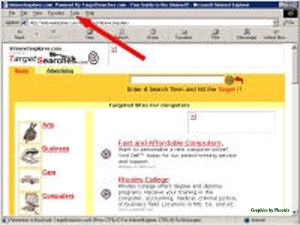
Open your Internet Explorer to any page.


At the top,
 
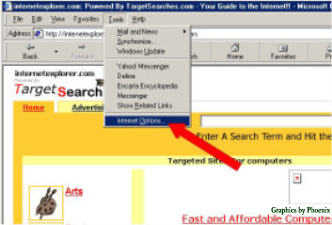
Click on TOOLS


In the dropdown window
 
Click on INTERNET OPTIONS


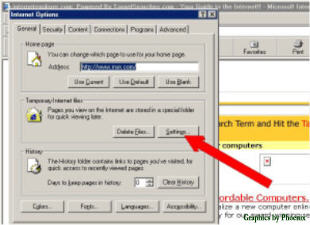
In the window that opens then,
 
Click on SETTINGS


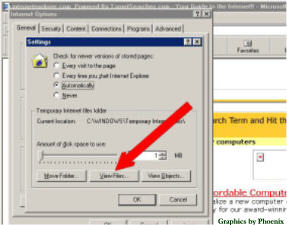
On the next window that opens,
 
Click on VIEW FILES
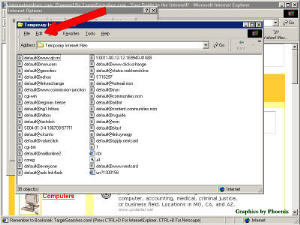
The window that opens then will have in the "Address" line  Temperary Internet Files.
These are your cookies.


Next at the top of this window
 
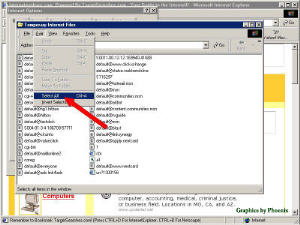
Click on EDIT


In the dropdown window then
 
Click SELECT ALL


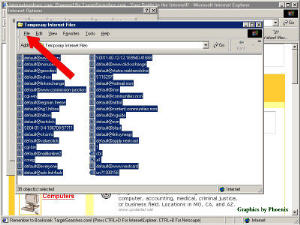
All the lines in the last window should then become highlighted.
Without clicking on anything else (so the lines will all stay highlighted)
 
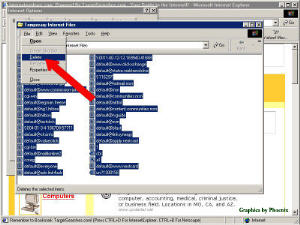
Click on FILE


In this dropdown window,
 
Click DELETE


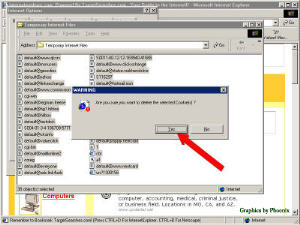
The "Warning" window then will appear.
 
Click   YES


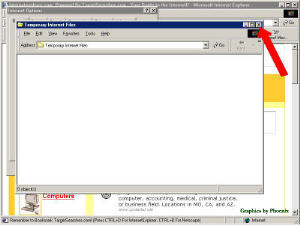
All the lines should leave the window. If they do not, do step 5 - 9 again.
 
Your cookies have been deleted now, and you can close all the windows.


Note: The only thing you will notice after deleteing the cookies is that when you go to a chat room or go to upload pictures it will tell you it is downloading the program for them, but when it sees they are still there (in about 15 seconds) it will go on into the page.

This is the first thing MSN advises you to do if you contact them. I hope it helps you with some of the problems getting into communitits.